Mac Software & Tools for Your Mac
Discover useful Mac software for managing files, optimizing storage, organizing your workflow, and getting more from your Mac.
Mac & Windows Tools Products
Ready-to-use solutions designed to help with specific workflows and tasks.
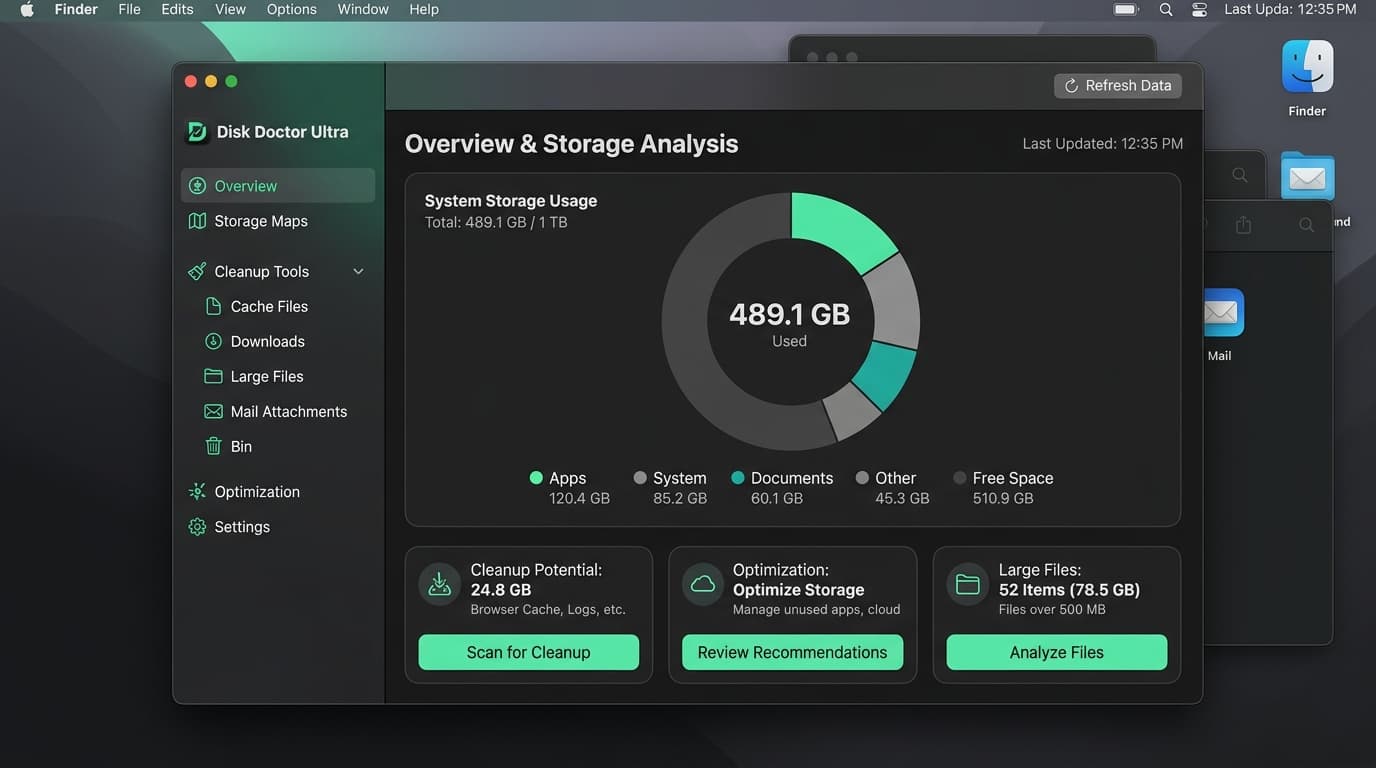
What Can You Find for Mac?
Explore the different types of Mac software designed to simplify your digital life.
1. Mac Utilities
Tools for everyday Mac management and system tasks.
2. File Management
Tools for organizing, finding, and managing files.
3. Storage Management
Tools for understanding and managing Mac storage.
4. System Optimization
Tools designed to help users manage and maintain their Mac.
5. Desktop Tools
Useful software for everyday desktop workflows.
6. Computer Maintenance
Tools that can simplify common Mac maintenance tasks.
Find Software That Fits Your Mac
Different tools solve different computer problems. Whether you are a creative professional storing massive media files or a business user organizing client documents, you can find software for files, storage, system management, and everyday desktop work tailored to macOS.
Checking compatibility and system requirements helps users choose appropriately before downloading. MintSaaS provides a central place to discover available software, making it easier than ever to build a workflow that fits your specific needs.
How to Choose the Right Mac Software
Identify what you need
Determine the exact problem you want to solve on your Mac.
Check Mac compatibility
Ensure the software supports your specific version of macOS and processor.
Review features and requirements
Check the tool's capabilities to ensure it doesn't include unnecessary bloatware.
Open the product page and make your decision
Review the final details and integrate the tool into your workflow.
Mac Software for Everyday Computer Tasks
When navigating the modern digital workspace, relying purely on native operating system tools is rarely enough. The right Mac software transforms a standard computer into a highly personalized, efficient workstation. Every user has unique demands: developers need quick terminal access, designers require immense file processing capabilities, and writers need distraction-free environments. Discovering the best software for Mac ensures that your computer adapts to your workflow, rather than forcing you to adapt to its limitations.
As computers age, they naturally accumulate files, duplicate data, and outdated applications. A core part of maintaining your system involves exploring the MintSaaS software marketplace for dedicated solutions. Whether you need Mac optimization software to keep things running smoothly, or specific Mac software tools to handle complex tasks, finding the right application early prevents workflow bottlenecks down the road.
The breadth of software for Mac computers is vast. By categorizing these tools, we make it simple to find exactly what you need without getting lost in unrelated Windows applications or unsupported legacy software.
Mac Utilities and System Tools
Mac utility software for everyday use represents a massive category of lightweight, highly focused applications. Unlike heavy creative suites, Mac utilities typically run quietly in the background or reside in your menu bar. These system tools address small but frequent friction points in the macOS experience.
For example, advanced clipboard managers allow you to access the history of everything you have copied, saving countless hours of switching between applications. Window management tools bring customizable snapping features to macOS displays. Custom screenshot utilities, menu bar organizers, and network monitors all fall under the umbrella of useful Mac tools for work. Ultimately, Mac desktop software is about reducing friction. When repetitive tasks are automated or simplified, the overall desktop experience becomes significantly faster.
Mac File and Storage Management Software
One of the most persistent challenges for any computer user is storage capacity. Mac file management software is specifically designed to give users control over their digital environment. Finding software for managing files on Mac involves looking for tools that provide deep search capabilities, bulk renaming functions, and intuitive visual file organization that goes beyond the native Finder.
Similarly, software for managing Mac storage is critical for users working on laptops with limited internal SSDs. Storage analyzers scan your entire drive and generate a visual map of where your gigabytes are being consumed. This makes it incredibly easy to locate forgotten large files or hidden cache directories. Furthermore, duplicate file finders are an essential component of Mac storage management. By safely identifying and removing redundant media, documents, and downloads, these tools instantly free up valuable space safely.
Mac Optimization and Maintenance Software
Keeping a computer running at peak efficiency requires occasional maintenance. Software to clean and optimize Mac computers focuses on identifying application leftovers, clearing out massive system caches, and managing background launch agents. When users install and uninstall dozens of applications over a year, digital debris inevitably builds up. Mac computer maintenance tools automate the cleanup process safely.
However, it is vital to approach Mac cleaning software with a realistic mindset. Do not fall for claims that a cleaner will instantly double your processor speed. The true value of Mac software for cleaning and optimization lies in storage recovery, battery life improvements (by identifying energy-draining background apps), and maintaining a healthy, organized file system. Real optimization is simply good system hygiene.
Mac Software for Work and Productivity
Beyond system-level maintenance, Mac users rely heavily on software to get their actual work done. Mac productivity software encompasses note-taking apps, task managers, calendar integrations, and PDF editors. While the native macOS apps are excellent starting points, power users quickly outgrow them and seek specialized alternatives.
If your primary goal is organizing your professional life, you should also explore our dedicated productivity software category. Finding software for Mac that seamlessly integrates with your existing workflow is the ultimate goal of the MintSaaS platform.
How to Choose Mac Software
With thousands of applications available, selecting the right Mac tools requires a systematic approach. First, determine the exact problem you are facing. Are you running out of space, or do you need a better way to organize client folders? Second, verify compatibility. Ensure the software explicitly supports macOS and check if it runs natively on Apple Silicon (M1/M2/M3) if you own a newer machine.
Review the feature set carefully. The best software for Mac is often highly focused on solving one specific problem exceptionally well, rather than attempting to do everything at once. Finally, consider the pricing model—whether it is a one-time purchase, a subscription, or a free open-source tool—to ensure it matches your expected usage.
Explore More Software
Once your computer is optimized and organized with the right Mac tools, you can expand your digital toolkit. If you are managing clients and sales, explore our business and CRM software. Creators and designers can also explore our digital products and templates for ready-to-use digital assets.
For users interested in the future of automation, browse our selection of AI agents capable of handling complex, multi-step tasks. You can also view the broader Mac & Windows Tools parent category, or switch over to discover Windows software if you use a PC.
Frequently Asked Questions About Mac Software
Find answers to common questions about Mac tools and optimization software.
Explore More Software Categories
Looking for something else? Check out our other software categories.